AppStore
The MicroPythonOS App Store allows users to download and install new apps to extend system functionality.
Backends
The AppStore app can pull apps from more than one source:
- BadgeHub.eu — the community appstore for event badges and community-built apps at badgehub.eu. On supported firmware builds this is the default backend. See BadgeHub Apps for details on publishing there.
Use the backend selector in the AppStore UI to switch between sources.
Scan QR
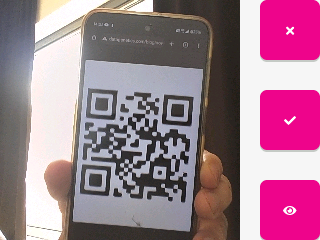
The AppStore has a Scan QR button (QR icon, top-right) that opens an app's detail page directly from a scanned app link. It uses the Camera app in QR-scan mode — no typing needed.
Supported app-link formats (case-insensitive):
https://badgehub.eu/page/project/APP_IDmicropythonos://app/APP_IDmpos://app/APP_ID
All three forms are equivalent: the link carries only the app's identity, and the AppStore resolves it against its trusted catalog. If the app list hasn't loaded yet, the AppStore downloads it first, then opens the detail page.
If the code is not an app link, the AppStore offers it to installed apps that
registered a matching URL handler, or shows a Not an app link message. If the
linked app can't be found, it shows App not found; if the app list can't be
downloaded, No connection.
Example Apps
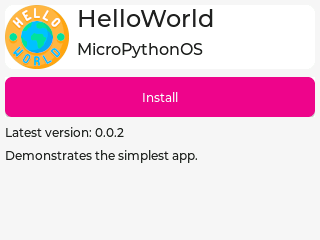
- Hello World: A sample app demonstrating basic functionality.
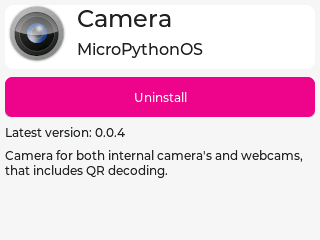
- Camera: Captures images and scans QR codes.
- Image Viewer: Displays images stored in
/data/images/. - IMU: Visualize data from the Inertial Measurement Unit, also known as the accelerometer.
- Nostr: A decentralized chat client using the Nostr protocol, shipped as a Python package.
- Sorter: A puzzle game where you sort items into the right bins.
- The Free Lantern Player: A media player app.
- Breakout: A classic brick-breaking game that uses a native C extension module.
Image Viewer
The Image Viewer app displays images stored in /data/images/. See Supported File Formats for the list of image formats the OS can decode.
Screenshots
Developing Apps
Apps are written in MicroPython and installed in /apps/. See Filesystem Layout for the app directory structure, Bundling Apps for packaging, and Native C/C++ Apps for apps that need compiled extensions.